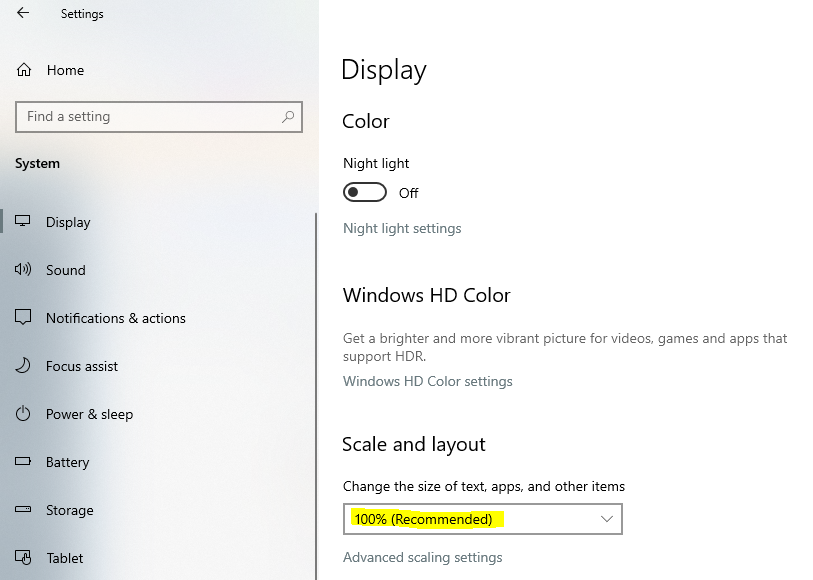
Please follow the steps below:
1. Make sure your browser zoom setting is NOT less than 100%
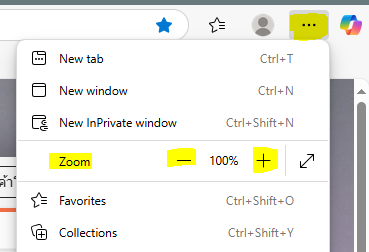
- Edge: click the Edge menu icon in the top right corner -> click either (-) or (+) next to the “ZOOM” to adjust the size to 100%
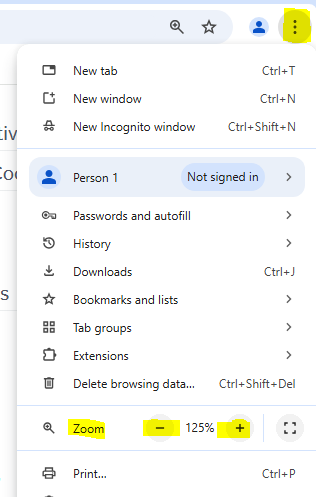
- Chrome: Click the Chrome menu in the top right corner -> click either (-) or (+) next to the “ZOOM” to adjust the size to 100%
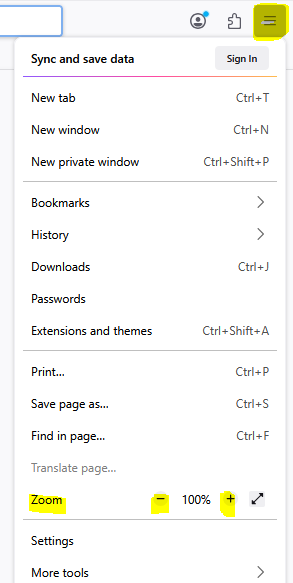
- Firefox: click the Firefox menu on the top right corner-> click either (-) or (+) to adjust the size to 100%
2. Make sure your font size is set to 100%
- Click the Start menu on your desktop-> Settings-> System-> Display-> Change the size of text, apps, and other items – 100% (Recommended) as shown in the screenshot below: