
Lock/Unlock Salesperson Budget
To lock/unlock budget, please follow the below steps:
1. Navigate to Budget from the left navigation pane. 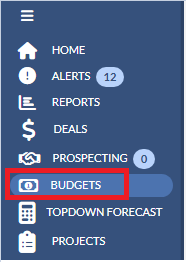
2. Click the Budget year drop down on the upper right hand corner and select the budget year that you would like to access. By default it will be on the current year and is a sticky option.
 2. Click on the menu next to the budget template name on the right and select Lock/Unlock
 3. Once you select Lock/Unlock button you will see the below screenshot.
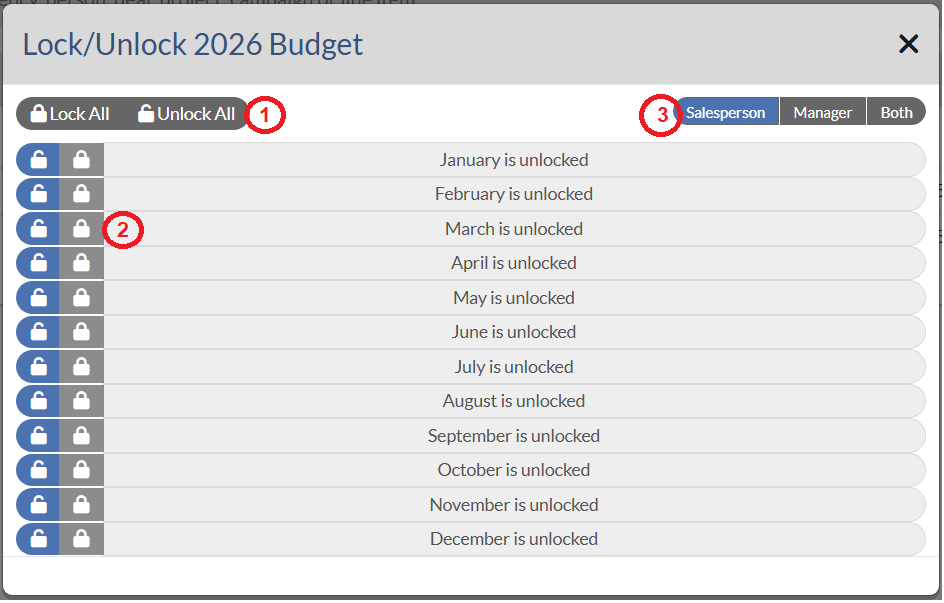 In this window:
1. You can lock/unlock for all months by clicking on Lock All OR Unlock All on the top.
2. You can lock/unlock for specific months by clicking on lock/unlock symbols in front of each month.
3. You can lock/unlock the budget for Salesperson, Manager or Both Salesperson and Manager.
Notes:
- When locked by local managers, they can still access the budgets to edit without risk of their salespeople making changes. Corporate users will still have access.
- When locked by corporate users, all salespeople and local managers in all markets are locked.