
There are hundreds if not thousands of Agencies in the world, but did you know that many of them are actually part of the
same organization, called a Holding Company? This structure is often referred to the Agency Family Tree and depicts a
Holding Company at the top with many different types of Agencies beneath that roll up into that Holding Company.
This structure is often necessary due to the way non-compete laws exist and to prevent a conflict of interest when an agency
wants to represent two competing brands or companies in an industry but needs to operate autonomously from one another
to maintain that business.
For this document and the initial development effort, we will only focus on one Agency Type (Holding Company) and the
agencies that roll up into a holding company. Down the road these agencies that roll up into a Holding Company will also get
their own Agency Types for better classification and usage within Monarch.
Configuring Holding Companies as an Administrator
It’s up to the Admin within Monarch to define which Agencies are holding companies. You can either create new agencies to
act as the Holding Company or you can set an existing Agency as the holding Company. With either path, please follow the
steps below:
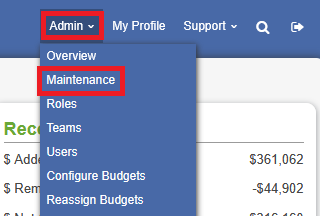
1. Proceed to the Agency Maintenance List by navigating to the Admin menu and clicking on Maintenance.
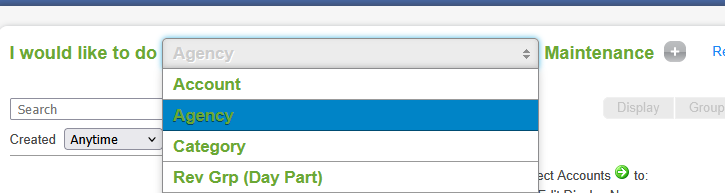
2. Once the page loads, change the dropdown from Account to Agency.
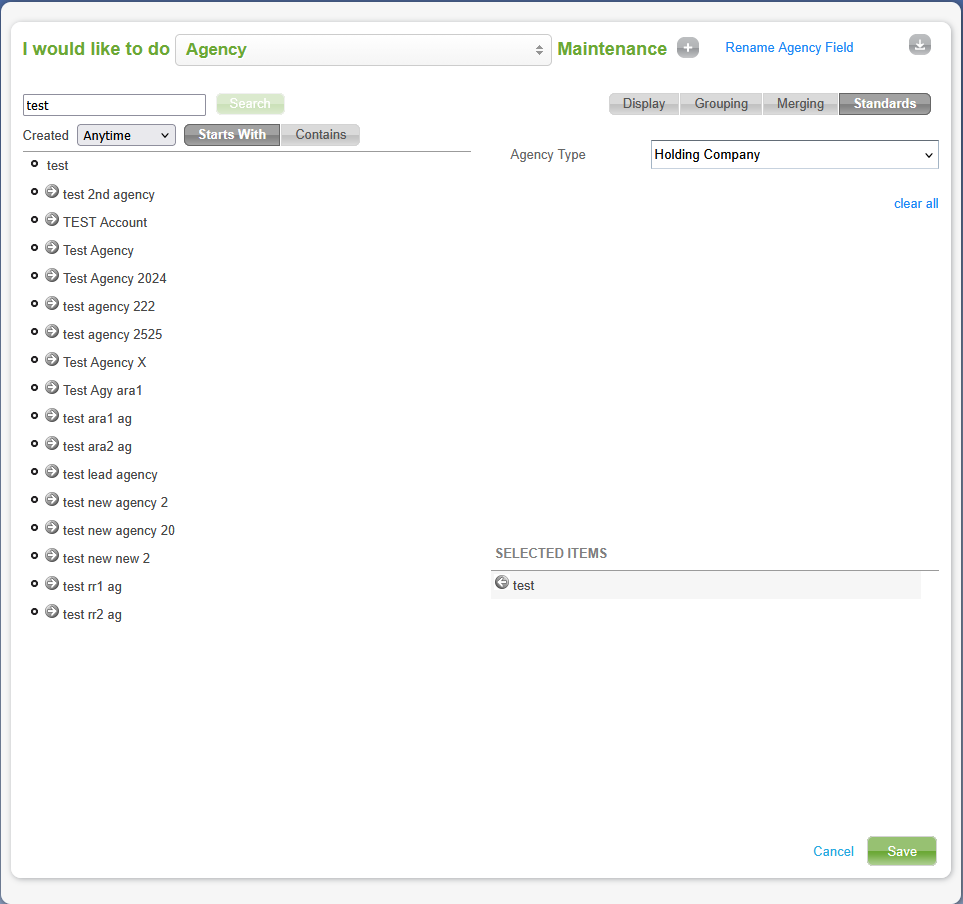
3. If a holding company already exists as an Agency, simply search for that agency by typing the Agency name in the search
menu, clicking the Search button, selecting it from the list by clicking on the green arrow in front of the agency name. This
will move the Agency name to show under the SELECTED ITEMS section. Then click the Standards tab.
4. Set the Agency Type to Holding Company and click the Save button. Note that you can do this with multiple agencies if
you have more than one that you wish to set as a Holding Company.
If the Agency does not yet exist, click the “+” button at the top of the page to add a new agency, and then repeat the
previous steps to set the Agency Type to Holding Company.

Rolling Up Agencies into Holding Companies
Now that we have one or more Holding Companies defined, we can now roll up agencies into that holding company for
reporting needs within Monarch. To do this, simply search for the Agencies that will roll up into one of your holding
companies, select it, and view the Standards tab.

This time you will want to set the “Part of which Holding Company” value and leave the Agency Type empty (we will
update this Agency Type in the future with more types, but as we said earlier we are only focusing on Holding Companies
for now).
Select the Holding Company that this agency will roll up into and then click Save. Note that you can do this with multiple
agencies if you have more than one that you wish to roll up into the same Holding Company.
That’s it! You’ve configured a Holding Company and rolled up an agency into it. Now your managers and salespeople will be
able to utilize this feature within various reporting areas within Monarch.
Other Agency Types
Other Agency Types exist beyond Holding Companies that can also roll up into Holding companies. To choose one of these
other Agency Types, select Standards from the same Agency Maintenance List as an Admin and choose any Agency Type
other than Holding Company. You will still be able to roll up the Agency into a Holding Company for reporting purposes.
Agency Type of Direct
This is a special Agency Type that does not roll up into a Holding Company and is typically only assigned to one Agency
(though this is not enforced) for the best reporting experience.
Reports with Holding Company
Once Holding Companies and the Agencies that roll up into them have been configured by the Admin, any salesperson or
manager with access to either the Holdco or one or more of the agencies can view them on the Forecast and Budget
Reports. To generate the Forecast or Budget report, please click to view the articles below:
Monarch - Forecast Report Overview
Monarch - Budget Report Overview
Select Holding Companies from the hierarchy selection. This will place the Holding Company(s) that you have defined into
the report. If any rows on the report are not affiliated with a Holding Company they will roll up into the N/A row at this level
allowing you to see the complete picture of Holdco to Non-Holdco and still traverse the report through each hierarchy.

The Holding Company also displays as a filter, “HOLDCOS” on the Filters tab. Here you can filter in/out any of the Holding
Companies, and along with them their agencies that roll up into each Holdco, that you have already setup.
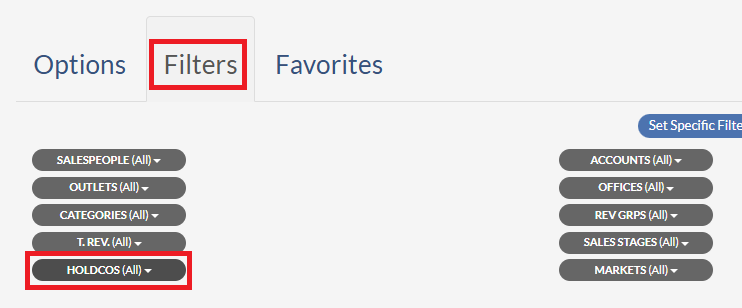 For example, if I choose to only filter to show the Holdco “Publicis Groupe”, then it will be the same as filtering to only show
the agencies that roll up into Publicis Groupe as well as the Holdco Publicis Groupe itself but without all the extra searching
and clicks. The N/A value will also exist here to allow you to either include or exclude any non-Holdco values too in order to
continue seeing the big picture.
Agency Profile Quick View
When viewing the Agency Profile, you may notice a new icon next to the name of the Agency. For example, Holding
Companies have a new house icon that helps identify the Agency you are viewing is a Holdco.

Regardless of the Agency Type, clicking on the icon will display a dialog showing information about the Holdco and
the agencies that roll up into it within your security partition or a quick glance at the Booked, Pending, and Pacing.

- Booked – This is the amount booked in your traffic/billing system(s) for the current month, current quarter, and current year.
- Pending – This is the amount of dollars pending on deals for the current month, current quarter, and current year to quickly see if you may be missing something.
- Pace $ Diff – This is the difference between where you are pacing compared to last year on the date displayed for the current month, current quarter, or current year to quickly see if you are pacing ahead or behind.
By default, a total row will always display first, followed by the holding company itself, where applicable, and finally each of the roll up agencies will display.