
Submit a Lead Account for Approval
Your account must meet the three requirements below before you can submit a Lead Account for approval (to your manager)
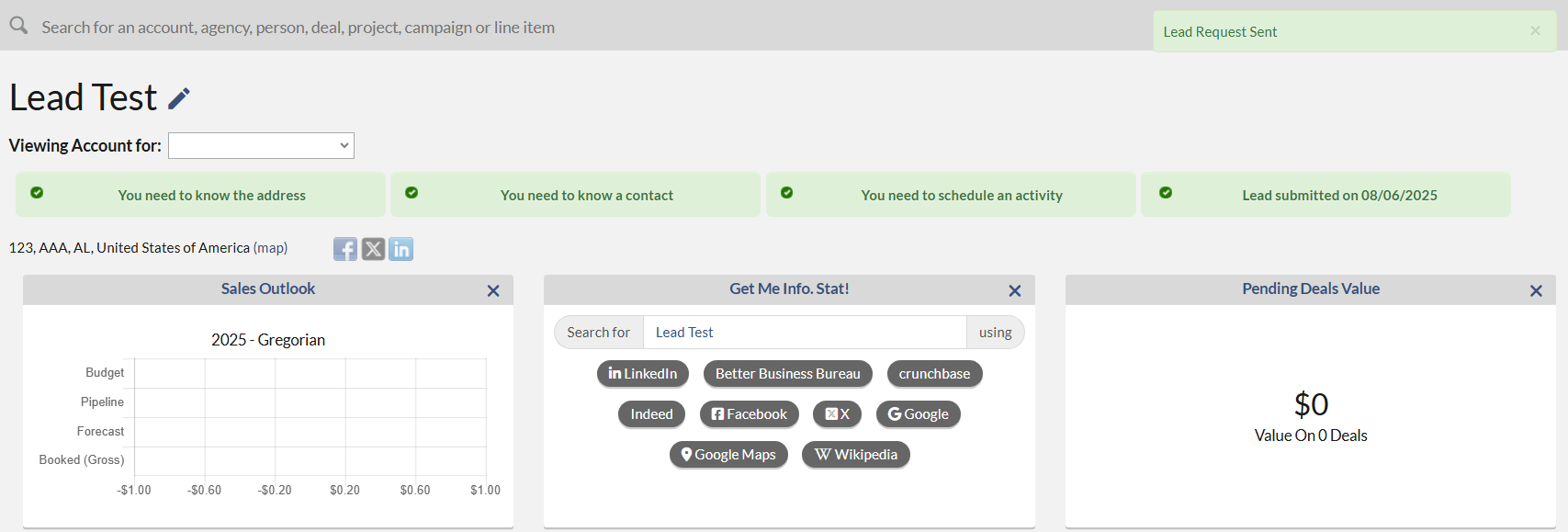
- An address for the Account. To add an address, please click the "You need to know the address" button on the top and then fill out the Country, Address 1, City, State, and Zip. Then click Save button.
 You can now add all three requirements quicker. When adding an Account, select Add Primary Contact and/or Add Activity to enter the corresponding information within the same window. Use the respective tabs to add Contact and Activity details.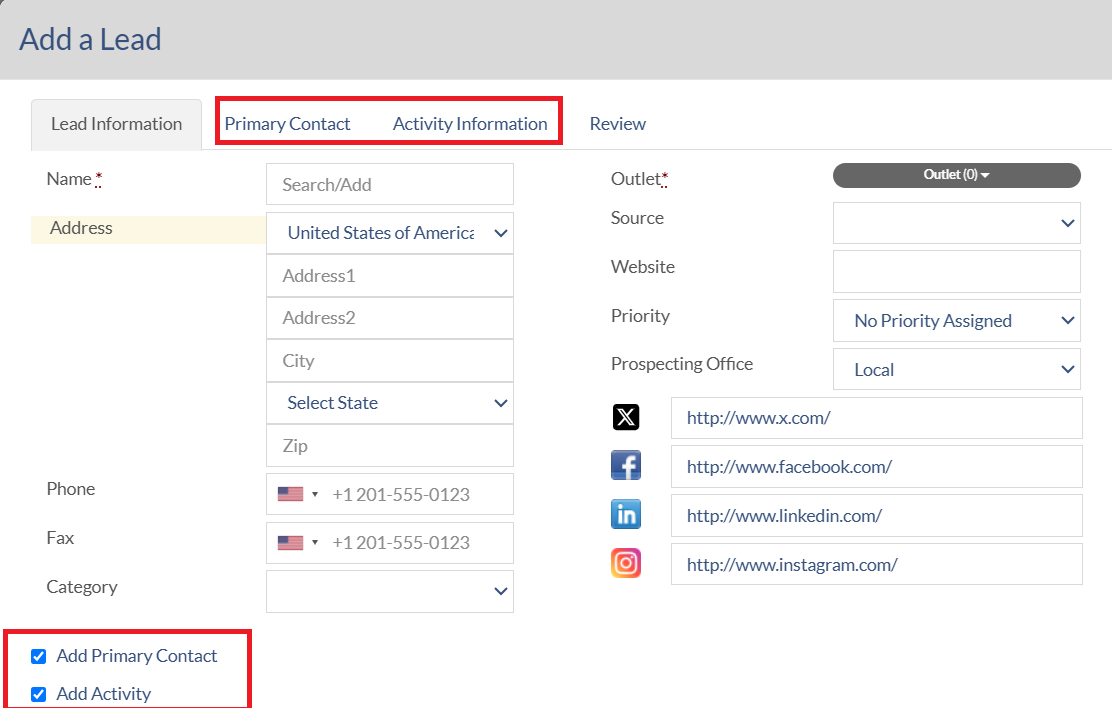
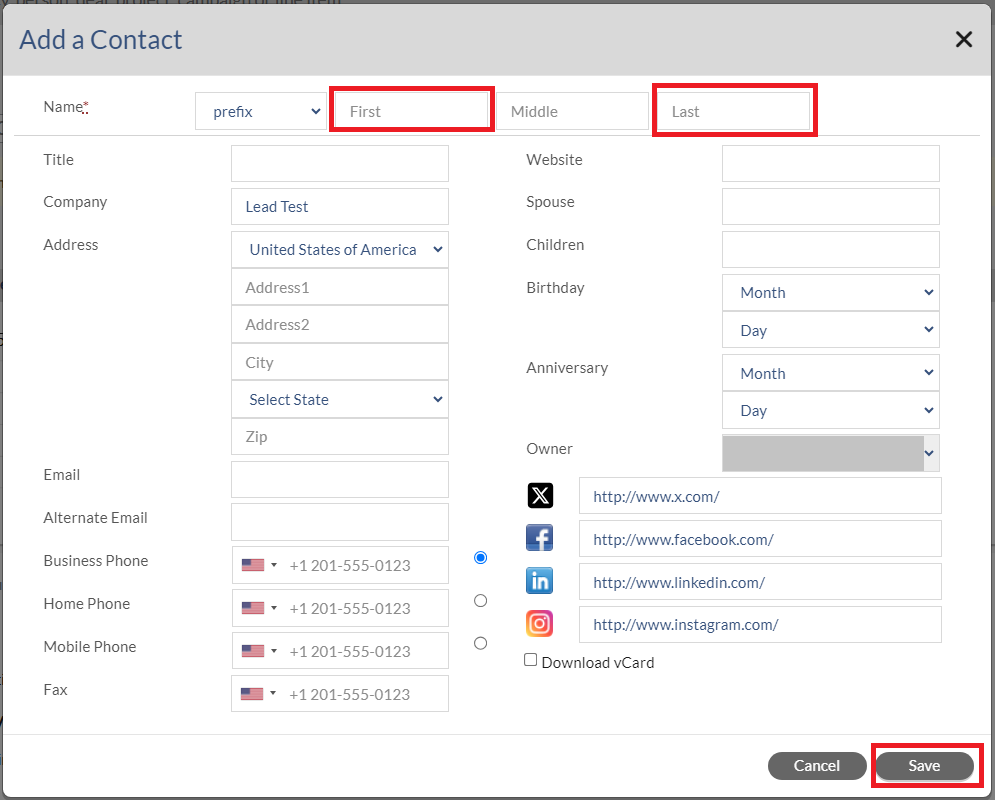
- At least one Account Contact. To add a Contact, click the "You need to know a contact" button at the top and fill out at least first and last names. Then click the Save button.

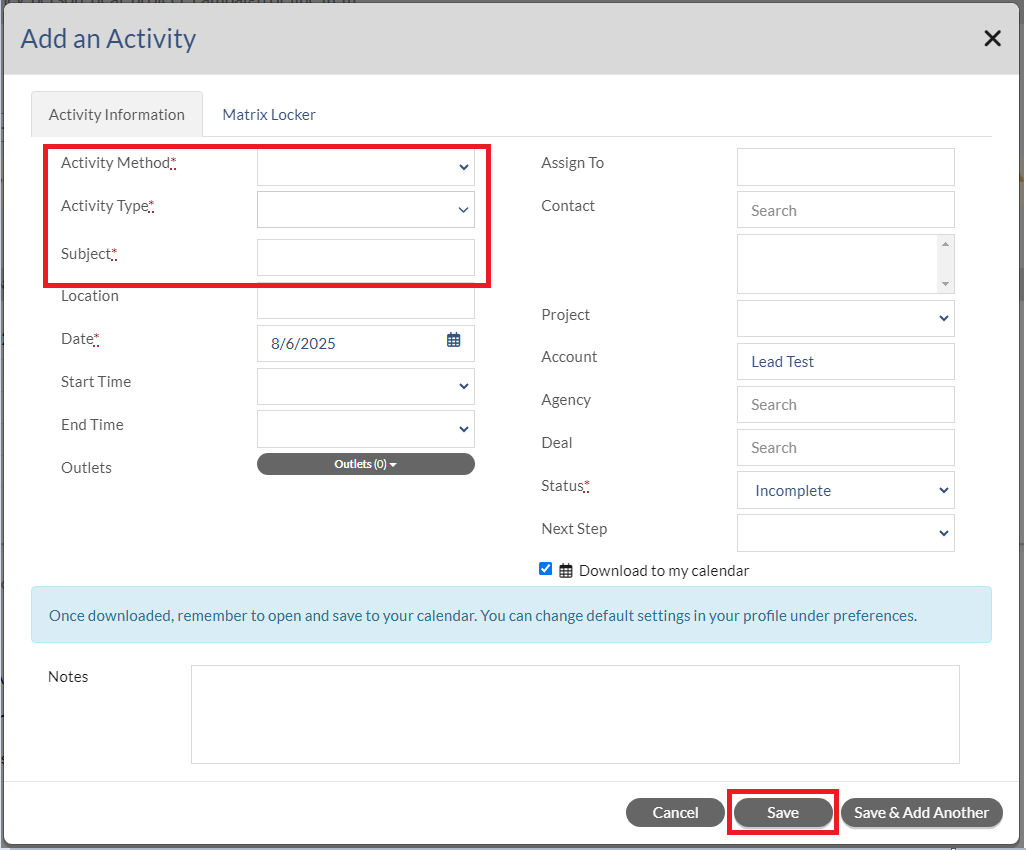
- At least one Activity (which can be Incomplete or Completed). To add an activity, click the "You need to schedule an activity" button at the top and fill out Activity Method, Activity Type, Subject, and Date. Then click the Save button.

Once the Address, Activity and Contact information have been filled out, all three buttons will turn green and the "Submit your lead for approval" button will be enabled.
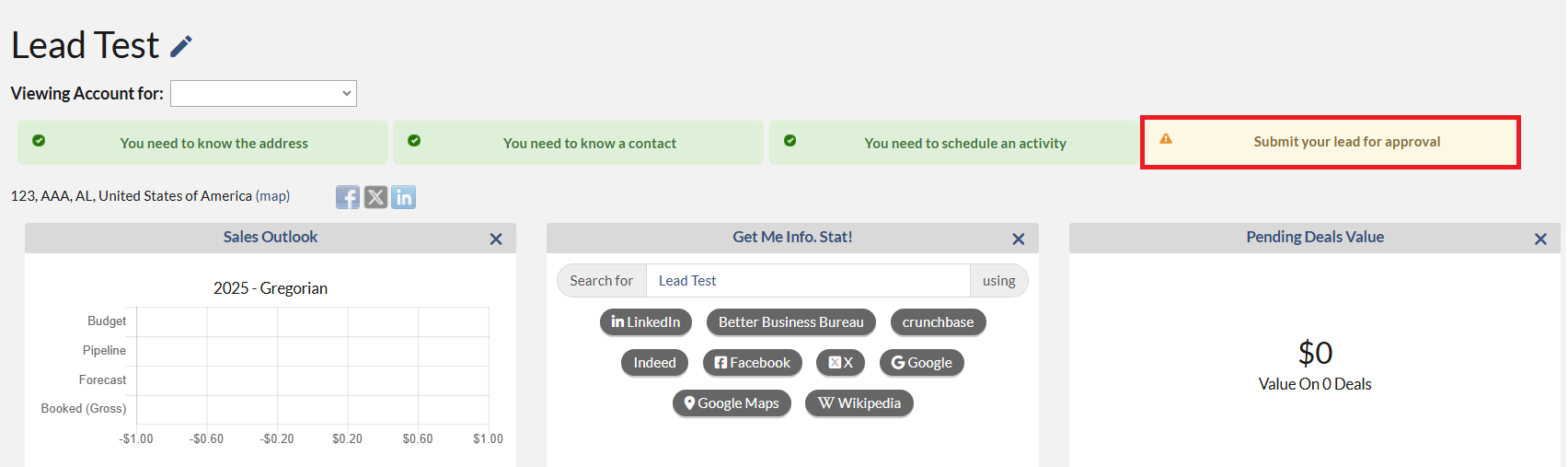
To finalize your Lead submission, click the “Submit your lead for approval” button. This will ONLY go to the assigned Manager(s) for the Outlet(s) selected. You will also see a new message displayed with the date when this was submitted. This will confirm that you have submitted your request successfully.
Notes:
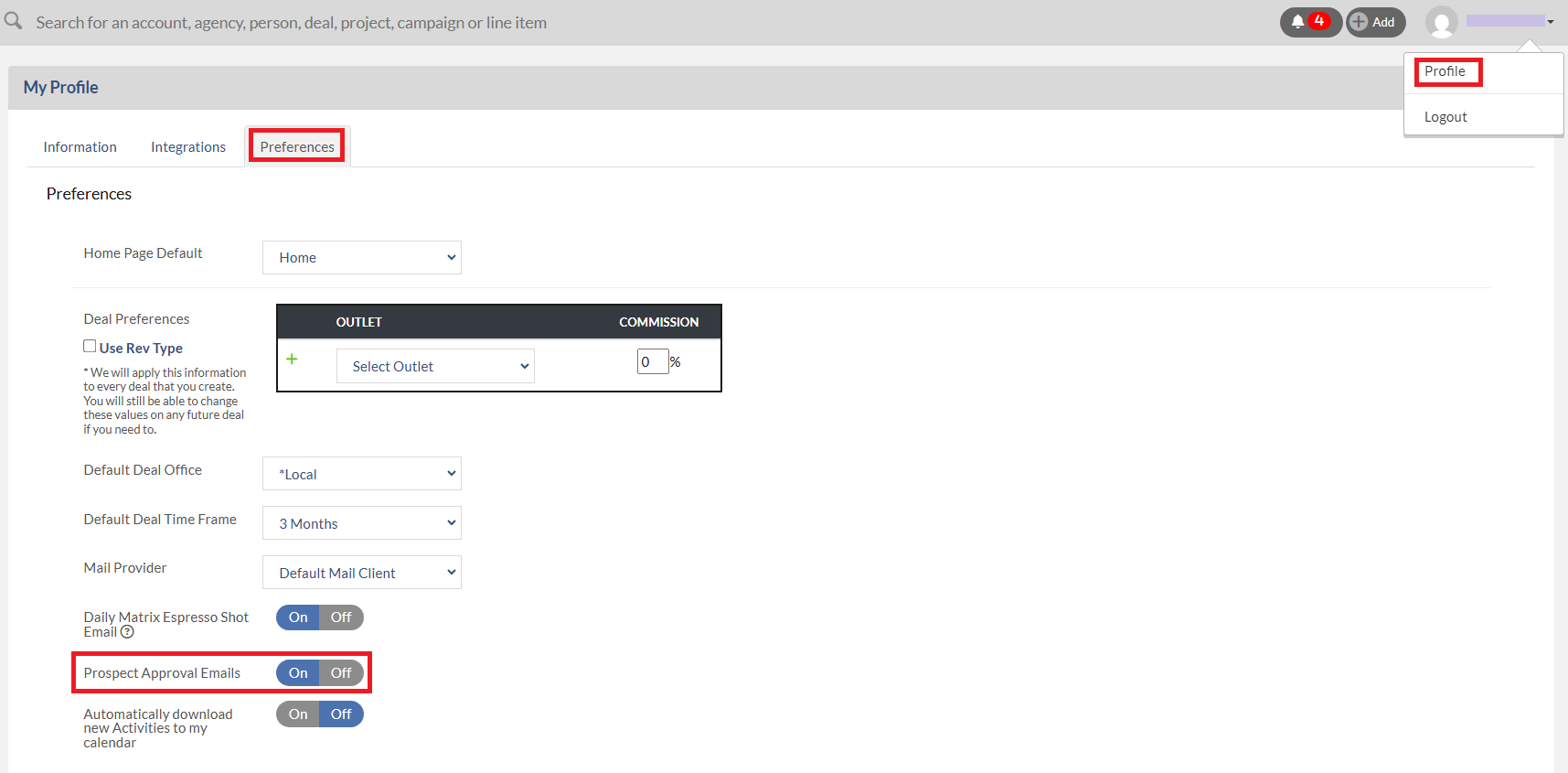
- If you would like to receive an email once your manager approves the account, please click on your name at the top right, select Profile, click the Preferences tab, and set Prospect Approval Emails to On.
- If more than one manager is assigned to a particular Outlet, then all of them will get an email notification of the Account Request and see the request within their Prospecting navigation on the left. Once any of the managers Approve or Deny the request, it will be removed from (All) the Managers lists of “Accounts Requested to be Reassigned”.