
Exporting Accounts
Both My List and Master List can be exported into Excel. To export the list, please follow the steps below:
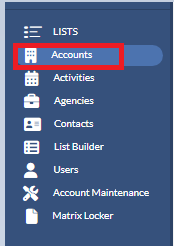
1. Navigate to Accounts from the Navigation Panel under Lists on the left-hand side of your screen.
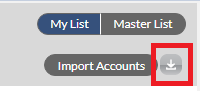
2. On the Account List page, select the Export icon in the upper right-hand corner of the page.
After you export the list, the following fields will be included in the exported file:
My List
- Account Name.
- Salesperson Name.
- Account Type(Billing, Prospect, Upselling, or Lead).
- Last Billed Date (month and year).
Master List
- Account Name.
- Salesperson Name.
- Account Type(Billing, Prospect, Upselling or Lead).
- Last Billed Date (month and year).
- Last Activity Date.
- Last Activity Type.
- Next Activity Date.
- Next Activity Type.
Note: For Billing, the Last Billed Date is the last month/year that Matrix received the billing amount. For Prospect and Lead, the Last Billed Date is the month/year that it was added into Matrix.
Filtering Accounts
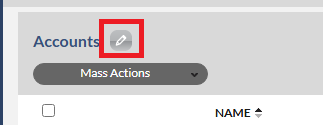
If you don't want to export all the accounts on the list, please filter the list to a specific segment of accounts by clicking on the pencil icon next to the account list.
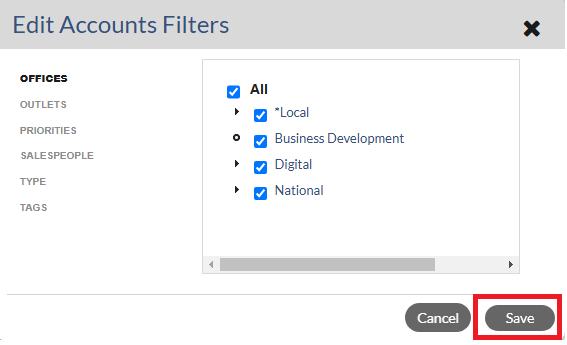
Now you can filter the account list by Offices, Outlets, Priorities, Salespeople, Type and Tags. Please check on the items that you wish to see on the exported file and uncheck any items that you wish to exclude from the exported file. Then click Save after you have finished adjusting the filters.
If you would like to see more information about accounts (ex. Outlet, Category, Address, etc.) in the exported file, we suggest creating a custom list in the List Builder. Please click on the links below for the instructions.
Monarch - List Builder - Building a List of Accounts
Monarch - List Builder - Exporting
Keyword Search: Account List, Account, Export, filter