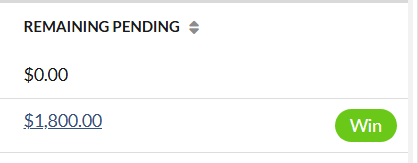
The pod shows all the billing amount that has been imported since the selected date. It also shows the remaining pending amount on the account that have billing imported. This pod is available only for managers. To view this pod, please follow the below steps:
1. Navigate to Home and click Sales Outlook data card.
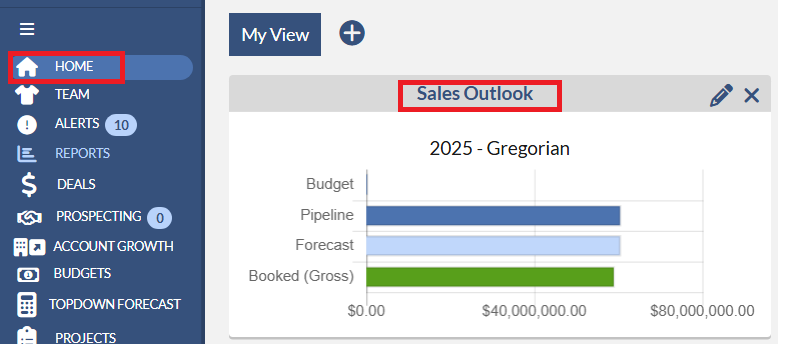
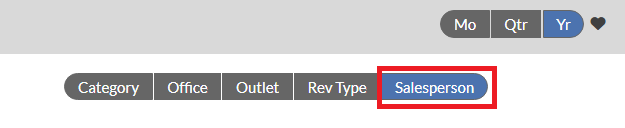
2. Click Salesperson tab.
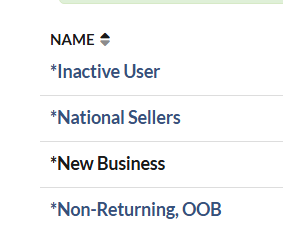
3. Click one of the Salespeople names under the Name column.
4.On the Salesperson dashboard, click Recently Imported tab.
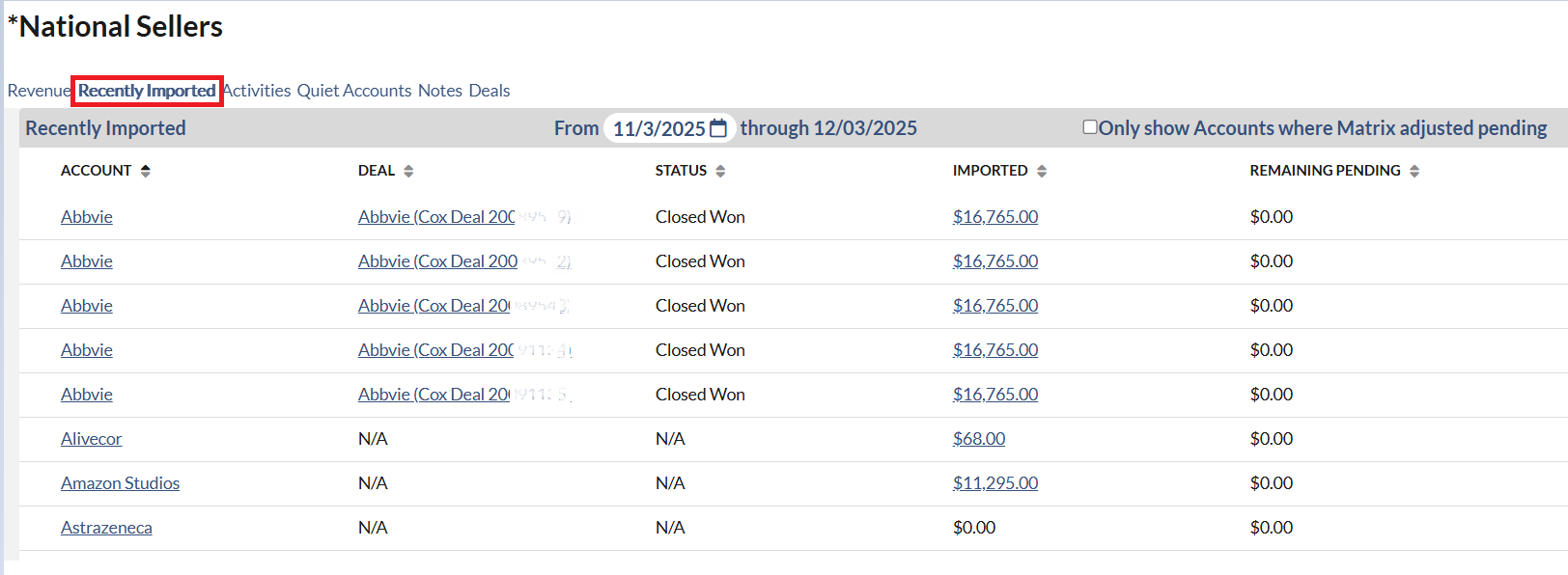
- Change since selector.
 Please select the date that you wish to check back for billing changes within previous imports.
- By default the second-to-last import date is chosen in the date selector.
- Can only go back 1 month from current as-of date.
- Works just like Change Since on Pacing report.
-"Only show Accounts where Matrix adjusted pending” checkbox.

- When checked, the list filters down to show only accounts that were auto-reconciled by Matrix for one or more months.
- It is unchecked by default.
- Account column
- The pod shows all Accounts that had billing Change for the selected import dates, and any corresponding Open-Pending or Closed-Won deals.
- If the account has no Open-Pending or Closed-Won deals within the 13 month range, show N/A for Deal & Status, and $0 for Remaining Pending Columns.
- If the account has any Open-Pending or Closed-Won deals within the 13 month range, show a separate row for each deal.
- If there are multiple deals for the Account, the Imported $s will show multiple times since it will show for each deal row.
- Note that 13 month range is last month,current month, and 11 months forward (i.e., May 2013 — May 2014). .
- Deal column
- Deals that show don’t necessarily mean they were auto-reconciled; just that there is an Open-Pending or Closed-Won deal for that Account within the 13 month range, and billing also came in for that account. Reasons why there may be Open-Pending deals that were not auto-reconciled:
- billing imported for different Outlets than the deal.
- billing imported for different Offices than the deal.
- billing Imported are negative. Deals are not updated based on negative imports.
- Imported column
- If you hover your mouse over the imported amount, you will see the monthly breakdown of the import. The imported amount is the sums monthly values for all Orderdetails.
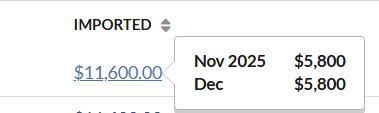
- Billing amount always displays in default calendar
- It shows negative and positive changes. For example,
- If month changes cancel each other out (-$500 for May, $500 for June), It may show $0 overall.
- The account had billing amount come in for 2 different outlets for Aug 2013 — one had $100 and the other $50, it would just show $150.
- This could be a little confusing if we had one OrderDetail record with $500 come in, and another with $-700 for the same month. It may would show $-200 overall.
- Remaining Pending column
- If you hover your mouse over the remaining pending amount, you will see the monthly breakdown of the deal. This remaining pending amount is the sums monthly values for all deal details.
- For example, if the deal has 2 outlet rows, each with $300 for Aug 2013, the hover will show $600 for Aug 2013.
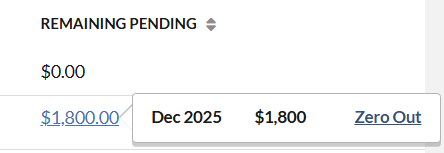
- It only shows values for Open-Pending deals.
- Closed-Won deals never show any values.
- Only shows pending values within 13 month range.
- Unlikely there would be Pending outside of this range, especially since the historical pending will be getting wiped out during auto-reconciliation.
- Months can be individually zeroed out.
- If all months for the deal are zeroed out, deal updates to Closed-Won.
- Win button will win the deal without zeroing out monthly values.