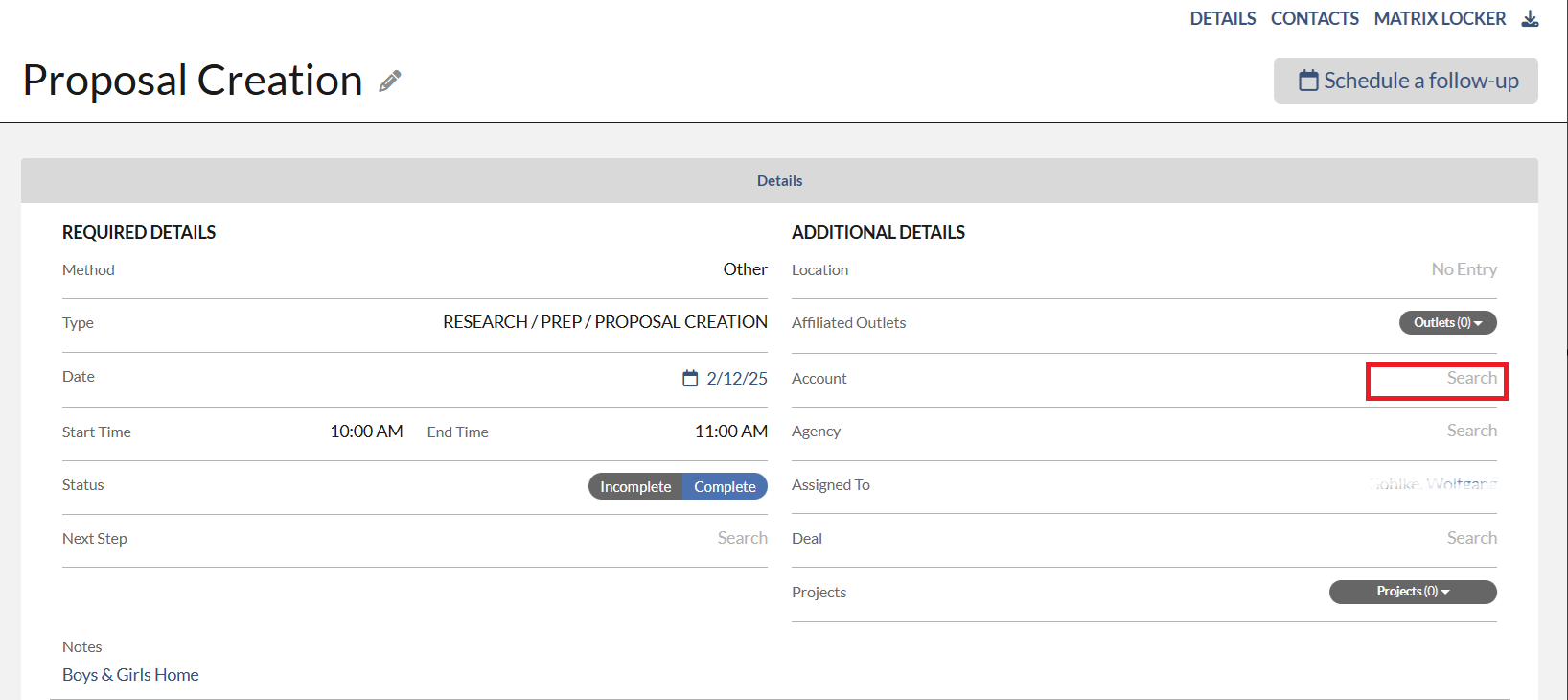
You may see N/A as an Account on the Activity Report. This happens because there was no account being selected when the activity was created. To update the N/A to the Account Name, please follow the steps below.
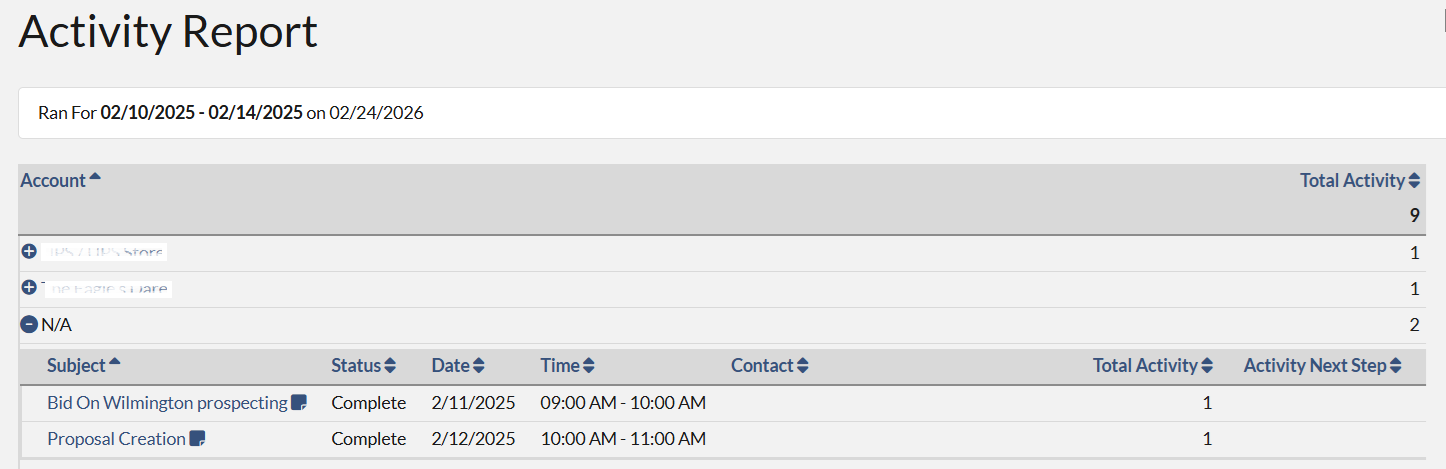
1. On the Activity Report, click the plus sign (+) in front of N/A. Then click the Activity's subject. The Activity profile will appear.
2. On the Activity profile, click the Search next to the Account field. Type in the Account name and then select it from the pop-up list.