If you receive the messages like the ones below while trying to update the Sales Stage on Deal or add a new deal, this means your Account's or Agency 's address is missing.

 The address fields below on the Account or Agency profile must be filled out.
- Country
- Address1
- City
- State
- Zip
To fill out the Account's or Agency's address, please follow the steps below.
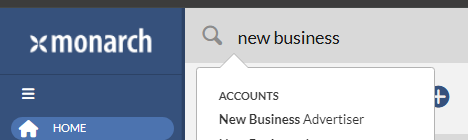
1. Navigate to the the Account or Agency profile by clicking on the Account or Agency names in the error messages. In screenshot below, New Business Advertiser(Account name) and ABC Hotel(Agency name) should be clicked. This will bring up the Account and Agency profiles.  Note: You can also navigate to the Account or Agency profile by searching for the Account or Agency name in the Global search and then clicking on the name. This will bring up the Account or Agency profile as well.
2. On the Account or Agency profile, click the small pencil icon next to the Account or Agency profile.
Account profile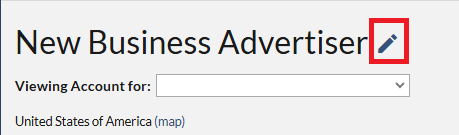
Agency profile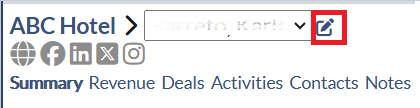
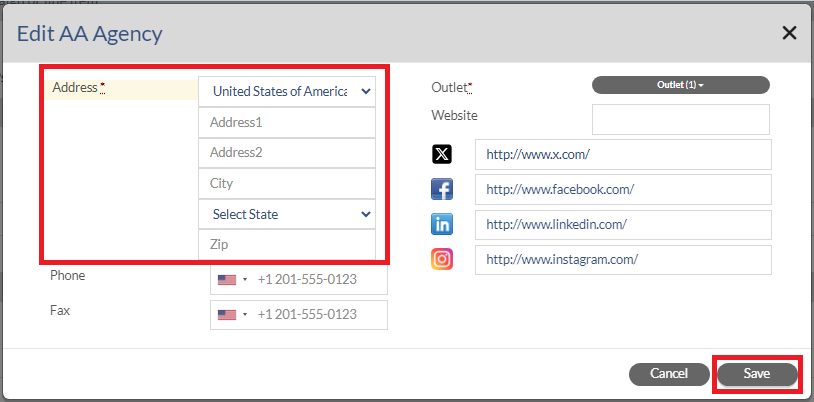
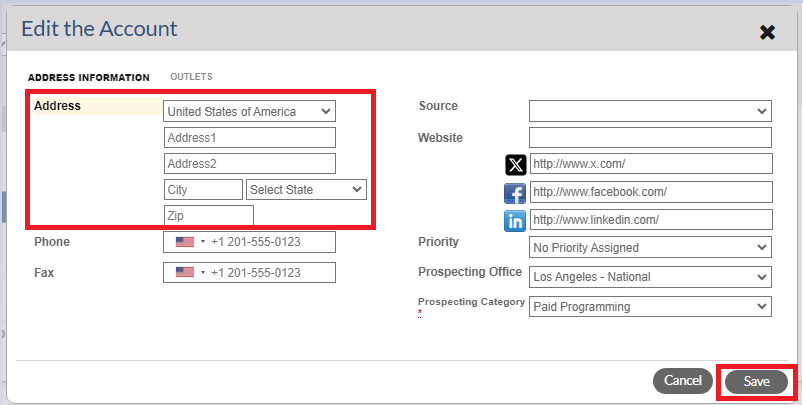
3. In the Edit the Account/Agency dialog, please make sure the fields below are filled out and then click the Save button.
- Country
- Address1
- City
- State
- Zip
Account Address
Agency Address